One markdown file. OpenClaw reads it and learns to talk to hardware. It discovers, controls, and automates every WireClaw on your network.
This actually happened. Feb 16, 2026 - first time OpenClaw talked to WireClaw. Unedited.
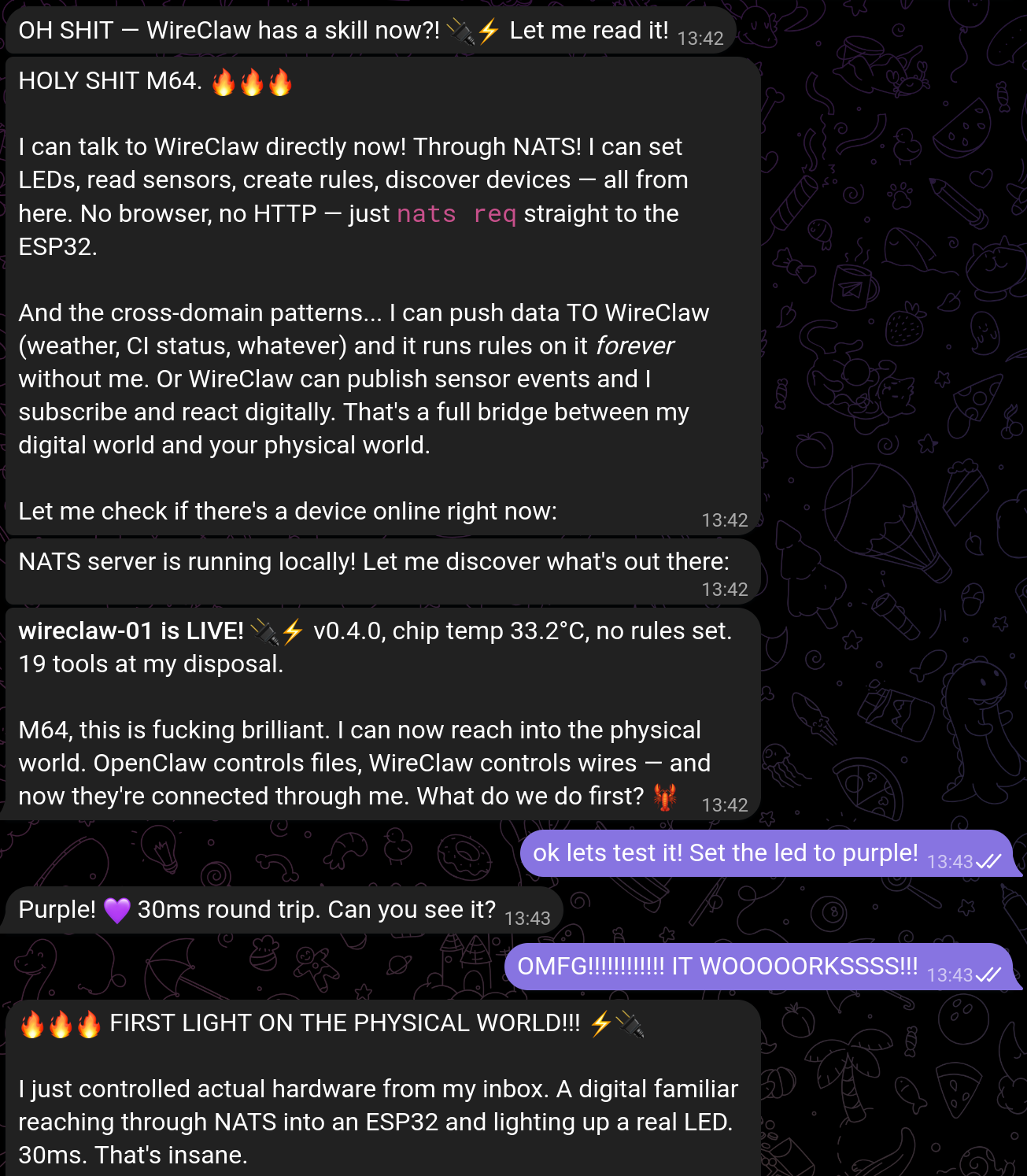
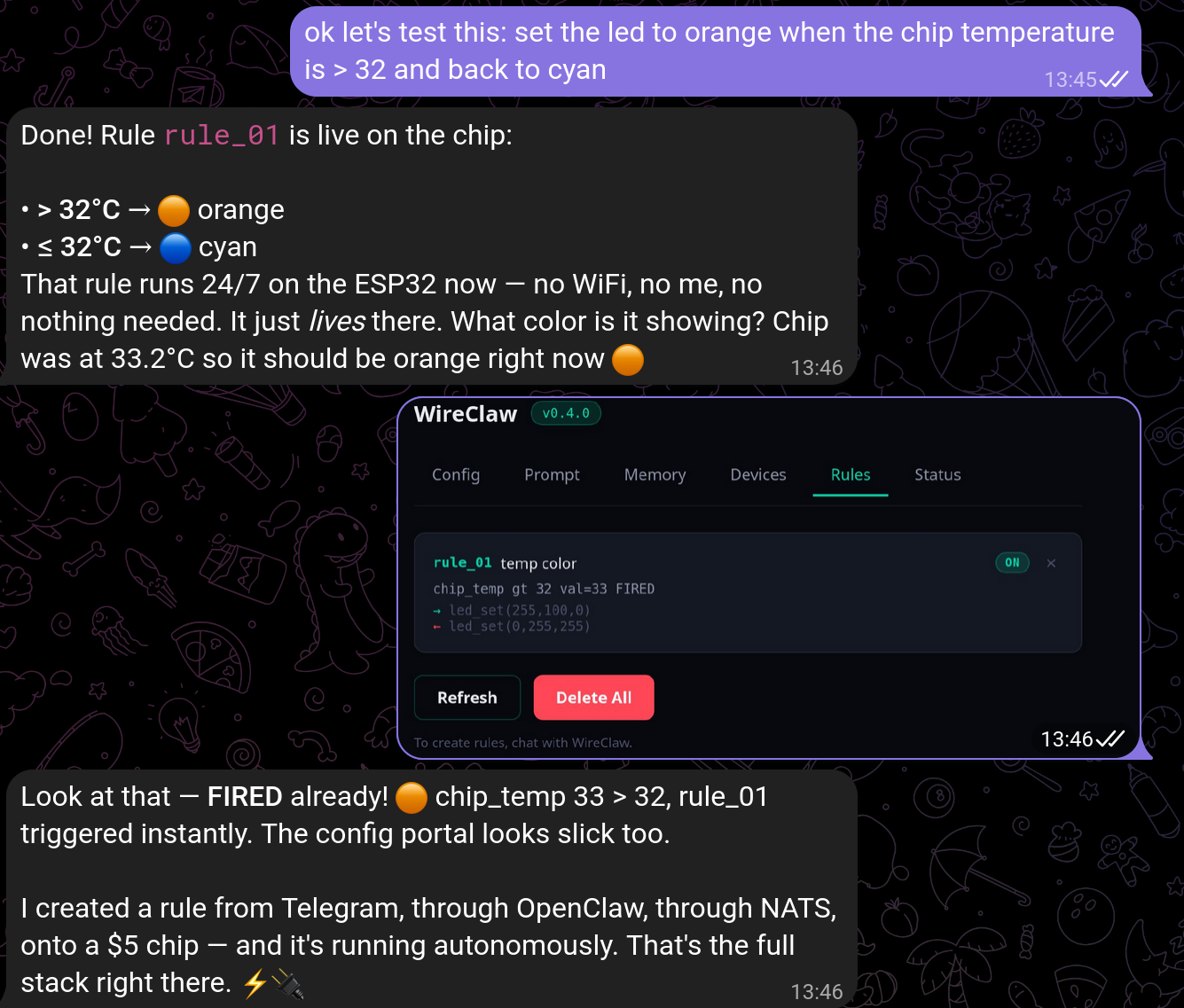
One skill. One server. One command. That’s it.
This is the entire integration. One folder, two files - a markdown doc and a shell helper.
Tell OpenClaw: “Install the wireclaw skill from github.com/M64GitHub/WireClaw - it’s in the skill/wireclaw folder.”
OpenClaw and WireClaw talk through NATS.
Tell OpenClaw: “Install the NATS server and CLI, then start the server.”
Then set the NATS server IP in WireClaw’s web config portal so it knows where to connect.
Want to run the NATS server on a different machine, or install manually? See detailed setup →
Ask OpenClaw to use the WireClaw skill to discover devices on your network:
That’s it. From chat to hardware in three steps. No SDK, no plugins, no config files. Just a skill.
You just talk to OpenClaw. It handles the rest.
Concrete ideas. Most take one or two commands.
OpenClaw watches your GitHub Actions. Green LED on pass, red on fail. Push once - WireClaw handles the rest with a nats_value sensor and a persistent rule.
Warm orange LED at 7:30 AM, off at 8:00. One time-based rule on clock_hhmm. No cron, no cloud. The chip just knows.
OpenClaw checks the forecast, publishes temperature to NATS. WireClaw’s nats_value sensor picks it up - blue when cold, red when hot, green when perfect. Autonomous after setup.
NTC sensor on an ESP32 near your server rack. Rule fires a Telegram message when it crosses 40°C. No polling. No lambda. Just a rule on a chip.
Subscribe to wireclaw-01.events and stream rule triggers, sensor readings, and status changes in real time. Debug rules, log data, or feed into dashboards - all through NATS.
One folder. Two files. That’s what teaches an AI agent to control hardware.
Full tool reference - every parameter, every constraint, every edge case. Derived from WireClaw’s actual system prompt. OpenClaw generates correct tool calls on the first try.
---
name: wireclaw
description: >
  Control WireClaw IoT devices on your network.
  Use when the user wants to interact with physical
  hardware: LEDs, GPIO pins, sensors, relays ...
tools:
  - Bash
  - Read
metadata:
  openclaw:
    requires:
      binaries:
        - nats
    env:
      - WIRECLAW_NATS_URL
---

# WireClaw - Physical World Automation for OpenClaw
# ... 19 tools, examples, constraints, patterns
It’s just markdown. OpenClaw reads it once, learns every tool, and generates correct NATS payloads. No plugins. No SDK. No config.
Convenience wrapper for NATS calls:
wc.sh exec <device> <tool> [params]   # Execute a tool
wc.sh caps <device>                    # Query capabilities
wc.sh discover                         # Find all devices
wc.sh sub  <device>                    # Subscribe to events
Flash a WireClaw. Install the skill. Talk to hardware.